Businesses rely heavily on digital storage. From employee laptops to enterprise servers, solid-state drives can contain enormous amounts of information that organizations cannot afford to expose. As technology refresh cycles accelerate, companies must have a reliable process for dealing with storage devices that are no longer needed.
The retirement of an SSD creates two separate considerations. The organization needs to determine whether the device can safely be reused, and it must determine how the information stored on it will be protected.
For companies that need a secure solution for permanently removing storage media from service, ssd destruction services can be an important part of a comprehensive data protection and asset disposition program.
Why SSD Retirement Requires Planning
An SSD may appear to be nothing more than a small piece of hardware, but it can contain information representing significant business value. Financial records, customer information, intellectual property, internal communications, authentication information, and employee records may all have been stored on a device.
The physical size of the drive does not indicate the importance of the information it contains.
For this reason, organizations should plan for storage device retirement before equipment reaches the end of its operational life.
Identify Devices That Contain Sensitive Data
The first step is understanding which equipment contains data and how sensitive that information is. Laptops, desktops, servers, external storage devices, and specialized systems may all contain storage media.
An accurate asset inventory can help security teams identify devices that require special handling.
Organizations should also establish categories for equipment that can be reused after appropriate sanitization and equipment that should be physically destroyed.
Secure Sanitization Versus Destruction
There is no single disposal method that works for every organization or every device. Some equipment may be suitable for reuse after an appropriate sanitization process.
Other storage devices may need physical destruction because the organization has a higher security requirement or no reason to preserve the hardware.
The decision should be based on factors such as the sensitivity of the information, organizational policies, contractual requirements, and the intended final destination of the equipment.
Why Physical Control Matters
Data security involves more than choosing a destruction method. Businesses must also control access to storage media throughout the process.
Retired drives should be collected through controlled procedures rather than left in open areas. They should be tracked from the point of removal through final processing.
This reduces opportunities for unauthorized access and helps organizations maintain accountability.
Creating a Chain of Custody
A chain of custody establishes a documented record of where an asset was and who handled it during its retirement process.
The exact process can vary by organization, but asset identification, transfer records, processing dates, and final disposition information can all contribute to stronger accountability.
For businesses with large technology inventories, these records can also make audits easier.
The Environmental Side of Storage Disposal
Secure destruction and environmental responsibility should not be treated as competing goals. Once storage media has been rendered unusable, appropriate material recovery processes can be used for the remaining components.
Metals, circuit boards, and other materials can potentially enter recycling streams.
This allows businesses to protect sensitive information while also reducing unnecessary waste.
Planning for Large Technology Refreshes
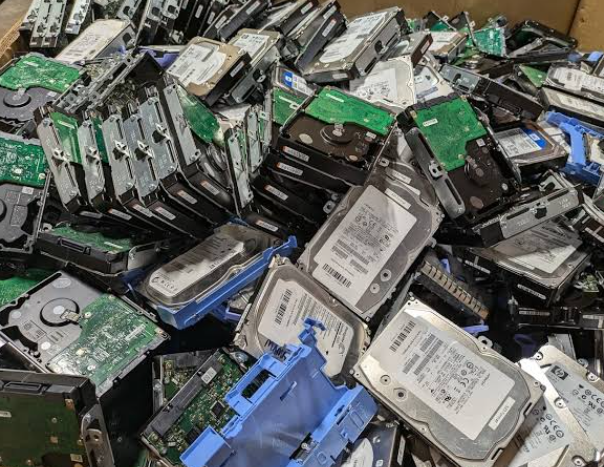
Large-scale technology refreshes can generate hundreds or thousands of retired devices. Without a plan, storage media can quickly accumulate.
Businesses should establish procedures before a refresh begins. This can include identifying equipment, arranging secure collection, determining destruction requirements, and establishing documentation procedures.
Planning ahead helps prevent bottlenecks and reduces the chance that retired devices will sit unprocessed for extended periods.
Selecting a Qualified Provider
When an organization works with an external provider, it should evaluate the provider’s security practices, documentation, processing capabilities, and environmental procedures.
Businesses should understand how devices are collected, transported, processed, and documented.
The provider should also be able to support the organization’s specific requirements rather than applying an identical approach to every type of asset.
Training Employees
Employees can unintentionally create security risks if they do not understand what should happen to retired technology.
Clear instructions should explain where devices should be returned and what employees should never do with storage media containing business information.
Simple procedures can make a significant difference, especially in organizations with multiple offices or distributed teams.
Conclusion
Retiring SSDs requires more thought than simply removing a device from a computer and throwing it away. Organizations need to consider data sensitivity, sanitization, physical destruction, asset tracking, chain of custody, and responsible material recovery.
By creating a consistent storage media retirement policy, businesses can reduce information security risks while supporting responsible technology management.
A secure and organized process ensures that the end of a device’s useful life does not become the beginning of a data security problem.